
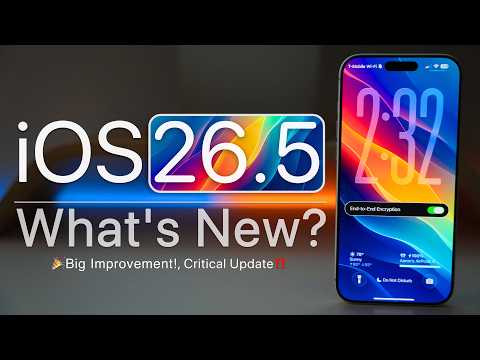
Apple has launched iOS 26.5 globally, introducing new features such as updated Maps suggestions, customizable Pride wallpapers, RCS end-to-end encryption in Messages, improved notification forwarding in the EU, and various bug fixes. The update enhances overall performance, CarPlay stability, and RAM management, setting the stage for future iOS 27 developments.
Apple has officially released iOS 26.5 to the public worldwide, available on all devices that support iOS 26. This update brings a variety of new features, improvements, and bug fixes designed to enhance the overall user experience. If you haven’t received the update yet, you can manually check by navigating to Settings > General > Software Update. Refreshing the page may be necessary to see the update.
The Maps app has received a notable update where the "Nearby Places" section has been replaced with "New Suggestions" at the top. This section now features new glyphs representing categories such as fast food, gas stations, restaurants, and more. Additionally, Apple has introduced a new category for suggested places nearby.
Apple plans to introduce ads within Maps, similar to those in the App Store. These ads will appear when searching and will suggest local businesses that have advertised. This feature will roll out in specific regions, though the exact timing remains uncertain.
iOS 26.5 introduces a new Pride Luminance wallpaper. Users can add this wallpaper by pressing and holding on the home screen, swiping to add a new wallpaper, and scrolling down to find the Pride options. The wallpaper is highly customizable, allowing selection of up to 12 different colors across multiple pages to suit personal preferences.
Complementing this, the Apple Watch app now includes a matching Pride Luminance watch face, also fully customizable with the same color options.
One of the significant updates in iOS 26.5 is the addition of RCS (Rich Communication Services) end-to-end encryption for Messages. This feature is currently in beta and rolling out gradually across different regions and carriers.
To check this feature, go to Settings > Apps > Messages and scroll down to find the RCS option. Conversations labeled as encrypted are secured end-to-end, ensuring messages cannot be read during transmission. The interface indicates encryption status with a lock icon.
To comply with EU regulations, notification forwarding has been enhanced to allow forwarding to third-party devices, including third-party watches. This feature is currently region-specific and not available in the United States.
Live Activities can now also be pushed to third-party devices, and quick pairing similar to AirPods is supported, enabling faster connection dialogs with compatible devices.
The Reminders app now displays specific reminder times on the lock screen. For example, instead of vague terms like "this afternoon" or "this evening," it shows exact times such as "Remind me at 9:00 a.m.", providing clearer scheduling information.
Developers now have more flexibility with subscription models. A new option allows yearly subscriptions with a 12-month commitment, payable monthly, and cancellable at any time. This option can be implemented in future app updates.
Within Settings > General > Transfer or Reset > Transfer to Android, users can now choose how many messages to transfer during the migration process. Options include transferring messages from the last 30 days, 1 year, or all messages, providing more control when switching to Android devices.
New keyboard options have been added, including support for Knuck and Nucatut Latin keyboards, accessible via Settings > General > Keyboard > Add New Keyboard.
iOS 26.5 lays the groundwork for awards within the Books app, similar to fitness achievements. Users can expect to see awards such as Loyal Reader, Reading Royalty, and Power Reader, which will encourage and reward reading habits throughout the year.
The update modifies the behavior of quickly pairing devices like Magic Trackpad, Magic Keyboard, or Magic Mouse. Previously, disconnecting from an iPad would automatically pair the device wirelessly to it. Now, the device reverts to pairing with the Mac it was last connected to. This feature may be revisited in future updates.
AirDrop functionality continues to work with certain Android devices such as Pixel and Samsung Galaxy S26 Ultra. Users can send files seamlessly between iOS and these Android devices using QuickShare and AirDrop.
There are no new updates to Siri or Apple Intelligence in iOS 26.5. These enhancements are expected in future releases, possibly iOS 26.6 or iOS 27.
A bug affecting users with a large number of contacts, which prevented placing or receiving phone calls, has been fixed.
Previously, when using a non-English keyboard, the password prompt sometimes failed to display. This issue has been resolved.
An error message incorrectly indicating non-compliance with standards for trusted certificates has been corrected.
Cellular connectivity issues on iPads running iOS 26.4 or later have been addressed, improving network stability.
Using compact tabs in Safari sometimes caused extensions to fail or crash the browser. This has been fixed, ensuring extensions open reliably.
Typing app names like "App Store" now works correctly with text to Siri and Spotlight search, providing suggestions and options as expected. Some minor issues with disappearing suggestions remain but overall functionality is improved.
CarPlay performance has significantly improved, with stable connections and proper functioning of music and other features during extended use.
A known wallpaper bug causing desaturation when swiping home remains unresolved in this update.
RAM management has improved, reducing app reloads and allowing multiple apps to stay open longer without refreshing.
Security patches are expected to be released shortly after the update, enhancing device protection.
Thermal performance shows a slight improvement, with peak temperatures around 38°C, cooler than previous versions. Benchmark scores for single-core and multi-core performance are consistent with expectations, showing smooth operation.
Battery life varies by usage, with some users reporting up to 12-14 hours of screen-on time on devices like the iPhone 17 Pro Max. Overall, the update provides a better balance of performance and battery efficiency.
Given the security improvements, bug fixes, and enhanced user experience, installing iOS 26.5 is recommended. While not a major update, it offers meaningful enhancements and prepares devices for upcoming features in future iOS versions.
iOS 26.5 is a solid update that improves Maps, Messages, Reminders, and overall system stability. It addresses several bugs and enhances performance, making it a worthwhile upgrade for users. As Apple gears up for iOS 27, this update serves as a stepping stone toward more significant changes.
Feel free to share your experiences with iOS 26.5 and which features you are most excited about in the comments.



















