
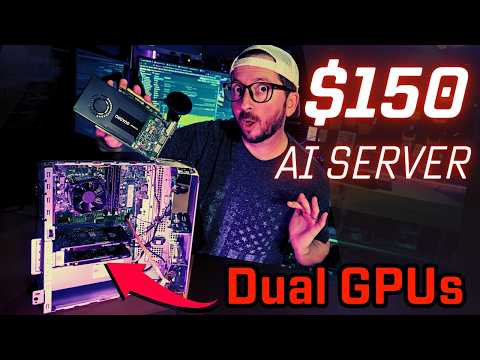
This blog post explores how to build a low-cost AI server using budget-friendly components, specifically focusing on the Nvidia Quadro K2200 and Dell Optiplex 7050, while comparing performance with other GPUs and discussing energy efficiency.
In the world of artificial intelligence, having a dedicated server can be a game changer. However, building a powerful AI server often comes with a hefty price tag. Today, we will explore how to create a budget-friendly AI server for around $150, utilizing dedicated GPUs and low wattage components.
For this build, we are using the Nvidia Quadro K2200, which can be found for approximately $45. This GPU features a 4GB RAM footprint, making it suitable for various AI tasks. While it may not be the most powerful option available, it provides a solid entry point for those looking to experiment with AI at home.
The heart of our server is the Dell Optiplex 7050, which comes equipped with an Intel i5 6500 quad-core processor, 16GB of RAM, and a 256GB NVMe SSD. This machine has two full-size PCIe slots, allowing for easy installation of the K2200 GPUs. The Optiplex is known for its low power consumption, making it an ideal choice for an energy-efficient AI server.
One of the standout features of this setup is its low wattage consumption. When idling, the entire system operates at a remarkably low power level, making it suitable for continuous use in energy-intensive environments. This is particularly beneficial for users who want to run their AI server without incurring high electricity costs.
To get started with your AI server, you can follow the guides available on our channel. These guides cover everything from software installation to setting up a Proxmox LXC Docker container environment. The setup process is designed to be user-friendly, allowing even beginners to get their systems up and running quickly.
With a single K2200 GPU, users can expect performance in the range of 7 tokens per second when running AI models. While this may seem slow compared to higher-end GPUs, it is a reasonable starting point for those on a budget. Adding a second K2200 can increase the total cost to around $150, but it may provide additional capabilities for running more complex models.
While the K2200 is a great entry-level option, we also explored other GPUs to see how they compare:
In conclusion, building a budget-friendly AI server is entirely feasible with the right components. The Dell Optiplex 7050 paired with the Nvidia Quadro K2200 offers a low-cost entry point into the world of AI. However, for those willing to invest a bit more, GPUs like the M2000 and P2000 provide better performance and efficiency.
As you embark on your journey to create your own AI server, remember to consider your specific needs and budget. With the right setup, you can enjoy the benefits of a dedicated AI server without breaking the bank.



















