
Building an app is often portrayed as a quick path to making money, but most apps aren't profitable unless they're business-to-business. Instead, building an app for fun and learning is more rewarding. This guide walks you through creating a simple, useful app—a PDF speed reader using RSVP technique—using Kotlin Multiplatform and deploying it for free on the web with Vercel.
When people talk about building apps, especially on platforms like YouTube, it's often advertised as a quick way to make money. However, this is somewhat ironic because even YouTube itself wasn't profitable until around 2014. In reality, most apps today aren't profitable unless they are business-to-business (B2B), meaning they sell to companies that then sell to consumers.
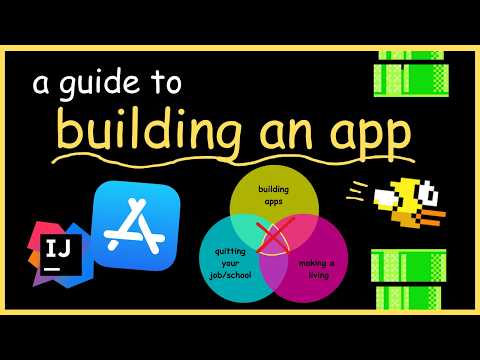
It's common to hear claims that you can drop out of school or quit your job and build apps for a living. While it's possible to build apps for a living, typically this means working for a tech company or a bank. Alternatively, you could quit your job and build apps but not make a living, or make a living but not by building apps. Making a living solely by building apps independently is rare and challenging.
Instead of focusing on making money, let's build an app that actually does something useful just for fun and learning. For example, many of us have PDFs or research papers on our laptops that we haven't read because reading them feels tedious.
Reading a PDF by moving your eyes left to right can be slow. A technique called RSVP (Rapid Serial Visual Presentation) can help you read faster by flashing words on the screen one or two at a time, faster than you could say them aloud.
Normally, humans read at about 250 words per minute, but RSVP can increase this to 350, 400, or even 500 words per minute without prior training.
There are free apps that flash words on the screen, but none that are both free and work directly on PDFs. So, let's build one called "Read Faster." The name is straightforward, much like many popular apps.
Before coding, it's helpful to understand the basic components of an app:
User Interface (UI) or Front End: This includes all buttons and screens the user interacts with. The UI differs slightly between web, iOS, and Android.
Server-side Framework or Back End: Manages user data, accounts, and syncing across devices. For example, apps like Tinder require a back end to manage user accounts and data.
Packaging and Publishing: Combining code into a format that devices or browsers can run, then publishing it on app stores or the web.
For our PDF speed reader, we won't need a back end since it doesn't require user accounts or data storage.
We'll use Kotlin Multiplatform by JetBrains, a technology that allows writing code once and deploying it across Android, iOS, desktop, server, and web.
Shared Logic: The core functionality like reading PDFs, sequencing words, calculating words per minute, and timing.
UI: Using Compose Multiplatform, JetBrains' declarative UI framework, which renders natively across platforms.
Download IntelliJ IDEA, a coding workspace, and install the Kotlin Multiplatform plugin. This provides templates and starter files to begin coding.
Kotlin is similar to Java but requires about 40% less code, making app development more efficient.
Instead of coding everything manually, we can use Google AI Studio to generate the app by providing a prompt with app requirements, framework, and design details.
Once generated, preview the app and review the code. Testing is essential to ensure the app works correctly across various inputs and interactions. While thorough testing is recommended, playing around with the preview can suffice for simple apps.
Publishing to the App Store or Google Play costs money, so we'll deploy the app on the web for free.
Google Cloud: Offers $300 free credit but requires credit card information.
Vercel: A free hosting service for web apps.
Once deployed, anyone can access and use your app online.
If you want to add user accounts or data storage, you can integrate Firebase, a Google-owned service that handles databases, authentication, cloud functions, and notifications. This is optional for our app.
After deployment, your app is ready to use. You can improve it further or simply use it as a learning project. Add it to your resume or share it with friends. Even if it doesn't make you money, building an app is a valuable experience and a fun way to learn programming and app development.
Enjoy your journey into app development and maybe even pretend to be a software developer for a while!



















