
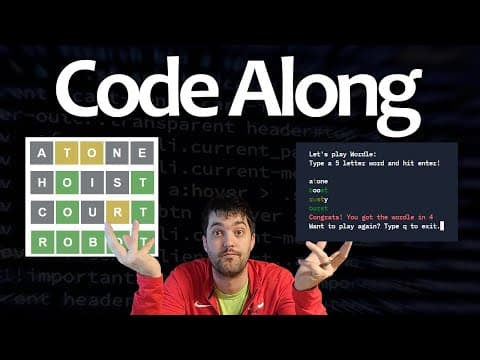
This blog post provides a comprehensive walkthrough on how to create a Wordle clone in Python from scratch, covering the setup, coding process, and enhancements to the original game.
Welcome to this tutorial where we will build a Wordle clone from scratch using Python. This project is designed for beginners and will guide you through the coding process line by line. If you're familiar with Wordle, you know that the game involves guessing a five-letter word within six attempts. Each guess provides feedback on the letters' positions, helping you narrow down the possibilities.
To get started, you will need a Replit account. Replit is a free online coding platform that allows you to write and execute code in various programming languages, including Python. Once you have signed up, create a new Replit project and select Python as your language. You can name your project "Wordle Tutorial".
The first step in our coding process is to create a simple menu that introduces the game to the player. We will use print statements to display the game title and instructions. To keep our code organized, we will encapsulate this functionality in a function called print_menu.
def print_menu():
    print("Let's play Wordle!")
    print("Type a five-letter word and hit enter.")
We will call this function at the start of our program to display the menu.
Next, we need a way for the game to select a random word for the player to guess. We will create a text file named words.txt that contains a list of potential words. For this tutorial, we will start with a small selection:
taxes
meanie
atone
clone
We will then create a function called read_random_word that reads this file and selects a random word from the list.
import random

def read_random_word():
    with open('words.txt') as f:
        words = f.read().splitlines()
    return random.choice(words)
Now that we have a random word, we need to allow the user to make guesses. The player will have six attempts to guess the word. We will use a for loop to iterate through the number of attempts and collect user input.
for attempt in range(6):
    guess = input("Enter your guess: ").lower()
To ensure the user does not enter more than five letters, we will implement a check using the min function.
for i in range(min(len(guess), 5)):
As the user makes guesses, we need to provide feedback on the letters. We will compare each letter of the guess with the corresponding letter in the selected word. If the letter is in the correct position, we will print it in green; if it is in the word but in the wrong position, we will print it in yellow; and if it is not in the word, we will print it normally.
from termcolor import colored

for i in range(min(len(guess), 5)):
    if guess[i] == word[i]:
        print(colored(guess[i], 'green'), end='')
    elif guess[i] in word:
        print(colored(guess[i], 'yellow'), end='')
    else:
        print(guess[i], end='')
After each guess, we need to check if the user's guess matches the selected word. If it does, we will congratulate the player and display the number of attempts taken.
if guess == word:
    print(f'Congrats! You got the word in {attempt + 1} tries!')
    break
If the player exhausts all attempts without guessing the word, we will reveal the correct word.
if attempt == 5:
    print(f'Sorry, the word was {word}.')
To enhance the game, we will allow players to play multiple rounds without restarting the program. We will implement a loop that asks the player if they want to play again after each game.
play_again = True
while play_again:
    # Game logic here
    play_again = input('Want to play again? (y/n): ').lower() == 'y'
To make the game more interesting, we can use the Natural Language Toolkit (nltk) library to pull in a larger list of five-letter words. We will import the necessary modules and create a function to filter the words.
import nltk
from nltk.corpus import words

nltk.download('words')

def get_five_letter_words():
    word_list = words.words()
    return [word for word in word_list if len(word) == 5]
We will then replace our previous word selection logic with this new function to provide a wider variety of words for the game.
In this tutorial, we have walked through the process of creating a Wordle clone in Python. We covered setting up the environment, coding the game logic, and enhancing the game with additional features. This project not only helps you understand Python better but also gives you a fun game to play.
Feel free to experiment with the code, add more features, or customize the game to your liking. Happy coding!



















