
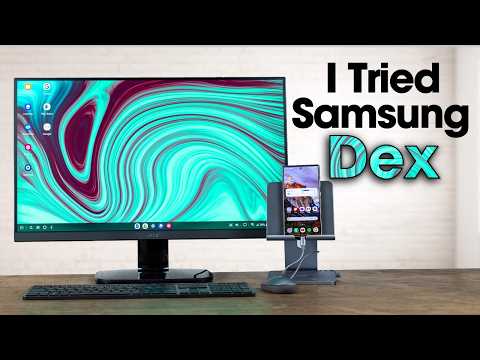
Samsung Dex allows users to utilize their smartphones as a desktop replacement, offering a familiar interface and connectivity options. While it shows promise for basic tasks, limitations in multitasking, hardware quality, and software compatibility may hinder its effectiveness for more advanced users.
Samsung's flagship phones come equipped with a feature called Dex, which enables users to transform their smartphones into a desktop-like experience. With the increasing power of smartphones, some users claim that Dex can effectively replace traditional laptops and desktops. In this blog post, I will share my week-long experience using Samsung Dex as my primary computing device, exploring its features, limitations, and overall practicality.
Samsung Dex is a desktop interface that allows users to connect their Samsung smartphones to a monitor, keyboard, and mouse, creating a familiar computing environment. To set up Dex, you need a hub that connects your phone via USB Type-C to HDMI, allowing you to use a monitor while charging your device. This setup provides access to all your apps and files directly from your phone, making it a convenient option for those who want to minimize their reliance on traditional computers.
Upon connecting my phone to the monitor, I was greeted with a desktop interface reminiscent of Windows. The bottom of the screen features a start menu equivalent, app icons, and a search bar. Navigating through apps was straightforward, and I could easily open multiple applications simultaneously. However, I quickly discovered that there is a limit to how many apps can be displayed at once—only five windows can be open on the screen at any given time, while additional apps are minimized.
One of the most impressive aspects of Dex is its compatibility with various applications. Most apps I tested were optimized for the Dex interface, providing a seamless experience. For instance, I was able to open multiple Google Docs and manage my emails without any significant lag. The performance of the Samsung Galaxy S24 Ultra I used was commendable, handling multitasking with ease.
However, I did encounter some quirks in the user interface. For example, certain actions, like responding to emails, opened in new windows, which was different from the traditional desktop experience I was accustomed to. Additionally, while many hotkeys worked, some did not, which added a slight learning curve to the experience.
Despite its strengths, there were notable limitations to using Dex as a laptop replacement:
Hardware Quality: The quality of the hardware used in some Dex-compatible devices, like the NEX dock I tested, was subpar. The display was low quality, and the keyboard and trackpad were not as responsive as I would have liked.
Software Limitations: While basic tasks like browsing the web and managing emails were easily accomplished, more advanced software, such as Adobe Premiere Pro, is not available on Android. This limitation could be a dealbreaker for users who rely on specific applications for their work.
Battery Drain: Using Dex can drain your phone's battery quickly, so having a constant power source is essential. I recommend using a wireless charger to keep your phone charged while in use.
User Interface Issues: I found that switching between light and dark modes caused issues with visibility, particularly with the cursor disappearing in dark mode. A more customizable interface would enhance the user experience.
Throughout the week, I found several practical use cases for Samsung Dex:
After a week of using Samsung Dex, I can confidently say that it has the potential to replace a laptop for many users, particularly those who engage in basic tasks like browsing, emailing, and document management. However, for more advanced users, especially those involved in video editing or 3D modeling, the limitations of software and hardware may prove to be significant hurdles.
In summary, Samsung Dex is a promising solution for those looking to simplify their tech setup, especially for casual users or families who may not want to invest in multiple laptops. However, for power users, a traditional laptop or desktop may still be the better choice.
What are your thoughts on Samsung Dex? Would you consider using it as your primary computing device?



















