
This guide provides step-by-step instructions on how to create a unique AI influencer that stands out and goes viral, covering tools, techniques, and tips to avoid common mistakes.
In this guide, we will explore the best ways to create an AI influencer that can go viral, avoiding the common mistakes that often hinder success. After extensive research and experimentation, I have compiled the ultimate toolkit to help you create AI influencers efficiently and effectively. We will start with simpler methods, then move on to unique techniques, and finally, I will share advanced tips and a secret tool for creating AI influencer videos.
To begin, we need to create the AI influencer. There are several tools available for generating influencers, but one of the best free models for creating hyper-realistic images is Juggernaut XL. We will use this in conjunction with Fukus. Instructions for installation will be provided in the description.
Open Fukus and select the Dark theme to reduce eye strain.
Click on Advanced and then the Settings tab.
Adjust the following options:
In the Style tab, keep the default options to enhance image quality. Include a Fus photograph to make the images appear more realistic.
Select Juggernaut XL version 8, the latest version, and keep the default settings in the Advanced tab.
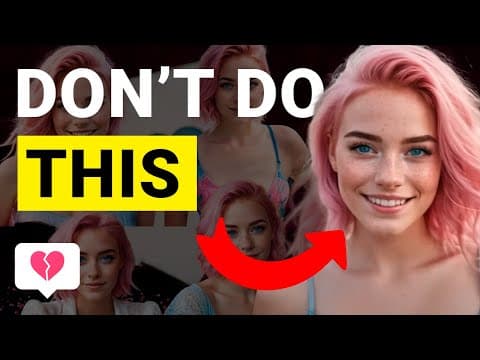
One common mistake is creating a generic AI influencer, often characterized by pink hair. To stand out, focus on unique features. For example, use prompts that highlight intense eye colors and distinctive hair colors. Set the first image in portrait mode and ensure the clothing color contrasts with the influencer's skin and eye color.
Once the initial image is created, increase the image number to 10 to generate more options. Review the images and select the best one based on contrast and appeal.
Next, we need images of the influencer engaging in various activities. A common mistake is to create the influencer's face separately and then swap it onto different poses, which can lead to inconsistencies. Instead, follow these steps:
Enable the Input Image and go to the Image Prompt Tab.
Select Face Swap and adjust the settings:
Choose a landscape aspect ratio for platforms like YouTube, and specify the activity (e.g., working out, hiking).
Generate the images and review them for quality. If hands appear distorted, you can regenerate or inpaint them later.
To enhance the quality of the influencer's face:
To create the same face in multiple positions:
To create videos of your influencer, we will use RP Unleashed. Here’s how:
To monetize your AI influencer, consider promoting products through affiliate links. You can create scenarios where your influencer showcases products, such as wearing a necklace or other items. Use inpainting to add these elements seamlessly into your images.
Creating a viral AI influencer involves careful planning, creativity, and the right tools. By following the steps outlined in this guide, you can avoid common pitfalls and produce high-quality content that stands out. Remember to engage with your audience and continuously improve your influencer's presence to maximize impact and monetization opportunities.



















