
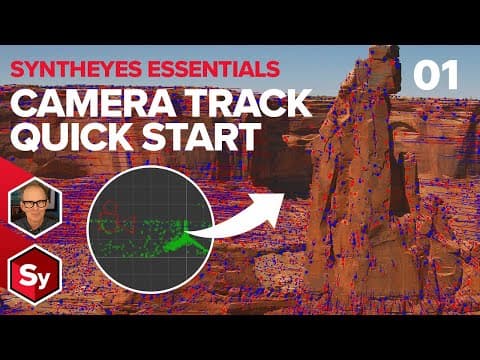
SynthEyes is a powerful 3D tracking and matchmoving application that allows users to recreate camera motion, lens distortion, and generate point clouds from footage. This blog post provides an in-depth introduction to its features, user interface, and techniques for achieving high-quality 3D tracks.
SynthEyes is a sophisticated 3D tracking and matchmoving application that transcends traditional 2D and planar tracking. It is designed to accurately recreate not only the motion of the camera used to capture footage but also the characteristics of the camera lens, including lens distortion and focal length changes, particularly for zoom lenses. Additionally, SynthEyes generates a point cloud that represents the landscape or architecture depicted in the footage, making it an invaluable tool for filmmakers and visual effects artists.
Upon launching SynthEyes, users are greeted with the summary room, which serves as the starting point for tracking tasks. The user interface consists of various tabs, each representing different virtual rooms or pages with specific controls. The summary room allows for quick execution of an automatic 3D camera track.
To initiate tracking, users can click the auto button located in the top left corner of the summary room. SynthEyes prompts for an image sequence or movie file. For demonstration purposes, a simple shot is selected. After confirming the selection, SynthEyes processes the footage and solves the scene, resulting in a cloud of points that represent the image features identified for creating a three-dimensional point cloud.
While SynthEyes provides an automatic tracking solution, it also offers advanced controls for users who require more precision. By navigating to the features room, users can access a new set of controls focused on blips, which are features identified by SynthEyes for tracking.
Blips are not trackers themselves but rather features that SynthEyes identifies for potential conversion into actual trackers. Users can visualize these blips as red and blue dots in the footage. However, not all blips are of equal tracking quality; thus, SynthEyes selectively converts only the best blips into trackers to ensure accurate 3D camera solves.
To convert blips into trackers, users can utilize the peel all button. This process may not yield immediately visible results, but it enhances the tracking quality. Users can further refine their view by toggling the display settings to focus solely on the converted blip trackers.
Once the blips are converted to trackers, users can proceed to the solver room to solve the camera and point cloud based on the tracked features. This step is crucial as it determines the accuracy of the 3D camera track. The Hpix value, which measures the average error in horizontal pixels, is an important metric to monitor during this process. Ideally, users aim to keep the Hpix value below one for optimal results.
In many production scenarios, a denser point cloud is required. Users can adjust settings in the features room to increase the small and big blip sizes and set a maximum tracker count that aligns with the frame count of the footage. This adjustment allows for greater control over the size and density of the tracked features.
After achieving a denser point cloud, users may still encounter misalignment and high error rates. To address these issues, SynthEyes provides tools for scene transformation and tracker cleanup. Users can rotate and move the entire scene to align it properly within the 3D space.
The track cleanup feature allows users to disable trackers on bad frames, improving the overall quality of the tracking data. Following cleanup, users should refine the solve again to ensure that the adjustments have positively impacted the Hpix error.
Every lens introduces some degree of distortion, which can affect tracking accuracy. SynthEyes includes options for calculating lens distortion, and users can select advanced distortion models for improved results. By methodically adjusting distortion coefficients and refining the solve, users can significantly reduce the Hpix error.
SynthEyes is a powerful tool for achieving high-quality 3D tracks, offering a range of features that cater to both novice and experienced users. From automatic tracking to advanced controls for blips and lens distortion, SynthEyes equips users with the necessary tools to create accurate and detailed 3D camera tracks. As the application supports exporting to various 3D animation and 2D compositing software, mastering SynthEyes opens up a world of possibilities for visual effects and filmmaking. Stay tuned for future tutorials that will delve deeper into exporting tracks and building reference geometry for production workflows.



















