
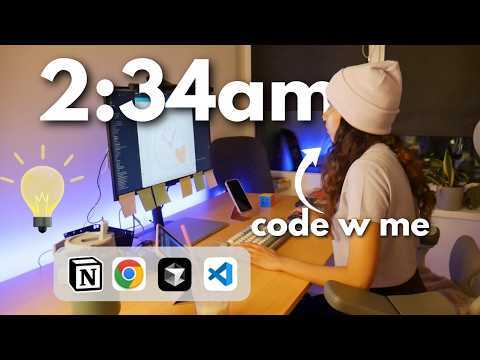
In this vlog-style blog, I share my journey as a software engineer building my first app, Stay Away, designed to help combat social media dopamine addiction. I discuss the app's features, challenges with iOS screen time API, and pivot to include brain training games like the dual N-back to improve memory and attention span, using AI tools and a custom design system to accelerate development.
Hello and welcome back to my vlog! My name is Gory, and if you're new here, I am a software engineer. This past week has been absolutely horrible, but I finally found some free time tonight. I thought it would be the perfect opportunity to build and publish the app I've been trying to create for the longest time.
This will be the first app I ever publish, so it won't be anything like Instagram, Snapchat, or Spotify. I haven't done proper app development in a long time, so my skills definitely need some work. This video (and now blog) is about me figuring out app development and taking you along for the journey. Hopefully, we get quite far with this project.
The first and most important thing about building an app is knowing what to build. I always take inspiration from problems in my daily life and use technology to solve them. This app is called Stay Away, inspired by dopamine addiction. I was pretty addicted to social media, doom scrolling, and wasting a lot of time, missing out on real life.
I wanted to build a tool to help me stay away from Instagram addiction. If you have the same problem, you might relate to what we're building.
It's easy to fall into the trap of building an app with all possible features, but just because you can doesn't mean you should. My biggest tip is to start small with a Minimum Viable Product (MVP).
The idea is simple: a panic button disguised as a sloth. When you feel the urge for dopamine hits from social media, you can click it and choose from three options:
Depending on your choice, the app offers different exercises or practices. For example, if you already gave in, you might want calming breathing exercises. If one exercise doesn't work, you can try another. I also want to improve the user interface, especially the fun bubble exercises that help me feel calm.
Today, I focused on building the "My Brain" part of the app, which trains your brain to avoid dopamine addiction traps. I sketched out four features for this page:
I planned to build all four features tonight using AI coding tools. I already had a rough architecture in mind, especially for the screen time API.
The user would see four buttons on the "My Brain" screen to navigate these features. My codebase already had many screens for different practices.
To help with development, I used Vercel, the sponsor of this video. Vercel allows running parallel workspaces or agents, which worked really well. I created four agents to handle the four tasks.
I also used Whisper Flow for voice commands to reduce typing. I had agents create UI screens based on my compliant design system, which includes custom components, buttons, headers, and text boxes. This made it easier to keep the design consistent.
I researched the Apple developer documentation to understand how to get screen time data for apps like Instagram and TikTok. I found that iOS is very strict, and only parenting apps can access screen time data.
Android is simpler in this regard. Unfortunately, I had to give up on the screen time feature for iOS due to these restrictions.
Although I was upset about losing the screen time feature, I came up with a new idea that excites me. I used to enjoy an app called Lumosity, which has brain training games for memory and spatial recall.
I decided to add memory improvement games under the "My Brain" tab to help improve attention span and combat dopamine addiction long-term.
I researched games that improve memory and found the dual N-back game, which some studies suggest improves brain function.
The game involves remembering sequences and identifying matches from previous rounds. I planned to build this game in my app.
I designed the game logic using a sliding window algorithm to check if the current item matches the one from two rounds ago.
I had an AI agent build the UI components, and I coded the algorithm myself for fun. It reminded me of university days coding algorithms for random games.
The game shows colored squares lighting up in sequence. The player must tap "match" if the current square matches the one from two rounds ago.
I set the switch interval to 1000 milliseconds, which is quite long, and planned to reduce it to increase difficulty. Another way to increase difficulty is to check matches from further back rounds.
I fixed some bugs and cleaned up the UI to make it look nicer.
So far, I have created three sections under "My Brain": milestone letters, daily happy thing, and memory improvement games. The first two were mostly created by AI agents running in parallel, which was impressive.
Vercel's equal mode helped ensure tasks completed even if tokens ran out.
The most fun part was pivoting to the new game and building the algorithm myself. It reminded me of the joy of coding simple, fun projects.
I hope you enjoyed this build journey. Thanks for reading, and I'll see you in the next one!



















