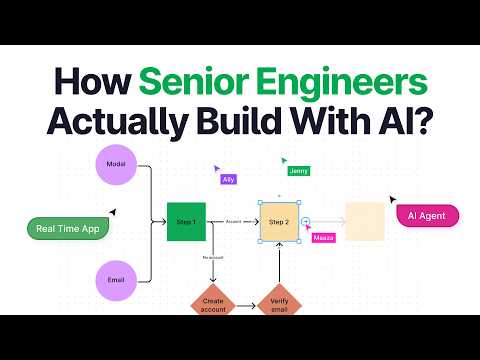
In 2026, the role of senior engineers has evolved significantly. Most senior engineers no longer write code manually; instead, they design systems and let AI handle the implementation. This shift is creating a divide in the industry between developers who can leverage AI effectively and those who cannot.
This article walks you through building a real-time multiplayer SaaS application with AI agents running in the background, using a full production-grade stack. Remarkably, the entire app is built by an AI agent following a spec-driven development methodology.
The New Paradigm: Spec-Driven Agentic Development
Unlike traditional coding tutorials, this approach emphasizes:
- Writing detailed specifications before coding.
- Defining architecture and planning every feature upfront.
- Using AI agents as implementation engines guided by clear specs.
This methodology mirrors how senior engineers at top tech companies operate, spending weeks or months designing systems before writing code.
The Ghost AI Application
The app, named Ghost AI, is a real-time collaborative workspace where users describe systems in plain English. AI agents map these descriptions onto a shared canvas live, allowing teams to edit designs collaboratively. Once finalized, the app generates a complete technical specification document.
Key Features
- Real-time multiplayer collaboration using Liveblocks.
- AI agents running background tasks with Trigger.dev.
- Authentication and user management via Clerk.
- Data management with Prisma and Postgres.
- Storage handled by Vercel Blob.
The Six-File Context System
To keep AI agents consistent and prevent drift, the project uses six context files:
- Project Overview: Describes the product, target users, core flows, and scope.
- Architecture: Defines the tech stack, system boundaries, and invariants.
- Code Standards: Ensures consistent coding patterns and conventions.
- AI Workflow Rules: Guides the AI agent's behavior and task scoping.
- UI Context: Contains design tokens and component conventions.
- Progress Tracker: Tracks current phase, progress, and architectural decisions.
These files provide the AI agent with a comprehensive understanding of the project, enabling it to execute tasks predictably.
Building the Application Step-by-Step
1. Setting Up the Project
- Initialize a Next.js project with TypeScript, ESLint, Tailwind CSS, and the app router.
- Clean up boilerplate code using AI agents.
2. Defining Specifications and Architecture
- Write detailed feature specs for each component and functionality.
- Use AI to implement features exactly as specified.
3. Implementing Authentication
- Integrate Clerk for secure user authentication and management.
- Customize sign-in and sign-up pages with a professional dark theme.
4. Building the Collaborative Editor
- Create the editor layout with a top navbar and left sidebar.
- Implement project dialogues for creating, renaming, and deleting projects.
5. Setting Up the Database
- Use Prisma with Postgres to model projects and collaborators.
- Implement CRUD API routes for project management.
6. Real-Time Collaboration with Liveblocks
- Configure Liveblocks for real-time shared rooms.
- Implement presence avatars and cursors to show collaborators.
7. Canvas Features
- Build a React Flow canvas backed by Liveblocks for real-time syncing.
- Add draggable shapes, node resizing, inline label editing, and color toolbars.
- Implement custom edges with connection handles on all sides.
- Add canvas ergonomics like zoom controls and undo/redo.
8. AI Integration
- Use Trigger.dev to run long-running AI tasks in the background.
- Implement AI design generation that updates the canvas in real-time.
- Add AI presence indicators and a chat sidebar.
- Generate comprehensive markdown technical specifications from the canvas.
9. Deployment
- Switch services from development to production keys.
- Deploy the app on Vercel with proper environment variables.
- Troubleshoot common deployment issues like package-lock conflicts and Prisma generate scripts.
Best Practices and Lessons Learned
- Architecture First: Clear system design prevents AI drift and broken builds.
- Spec-Driven Development: Detailed specs guide AI agents to predictable outcomes.
- Use Agent Skills: Install AI agent skills for libraries like Clerk, Prisma, Liveblocks, and Trigger.dev to improve AI understanding.
- Iterative Testing and Fixing: Use AI tools like Code Rabbit to review and fix code continuously.
- Background Tasks: Use Trigger.dev for long-running AI processes to avoid API timeouts.
- Collaboration: Real-time presence and chat improve team coordination.
Conclusion
This comprehensive build demonstrates how senior engineers in 2026 leverage AI to accelerate development without sacrificing quality. By focusing on architecture, detailed specifications, and using AI as an implementation engine, a single developer can build complex, production-ready applications efficiently.
The Ghost AI app serves as a blueprint for future development workflows, combining cutting-edge tools and methodologies to harness AI's full potential in software engineering.
This article encapsulates the entire process of building a full-stack system architecture app with AI, highlighting the importance of planning, context management, and leveraging modern AI-powered developer tools.