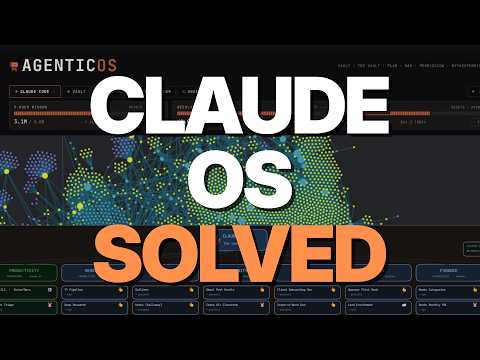
Welcome to the Claude Code Agentic OS Masterclass. This comprehensive guide will show you how to elevate your use of Claude Code from a simple AI assistant to a fully-fledged Agentic OS system. This system is designed not only for your personal productivity but also to be easily shared with clients or team members, even if they have no technical background.
Overview of the Agentic OS System
Building a powerful Agentic OS involves three key components:
- Skill Architecture: The backbone of the system where your daily tasks and workflows are codified into skills.
- Memory Layer: Implemented using Obsidian, this organizes and stores your data and workflows.
- Observability and Command Center: Dashboards that provide insights and allow easy interaction with your skills and automations.
While flashy dashboards are appealing, the real value lies in the invisible skill architecture that powers the entire system.
Part 1: Building the Skill Architecture
What is Skill Architecture?
Skill architecture involves breaking down your daily tasks and workflows into discrete, codified skills. These skills can then be automated or executed on demand by Claude Code.
Why Codify Tasks into Skills?
- Deterministic Output: Large language models like Claude Code have inherent randomness. Skills help make outputs consistent and predictable.
- Efficiency: Complex tasks can be triggered by simple commands.
- Customization: Skills are tailored to your specific workflows, making them more effective than generic skills found online.
How to Build Your Skill Architecture
- Identify Domains: Think of your work or life divided into domains such as content creation, research, productivity, sales, etc.
- List Tasks Under Each Domain: For example, under content creation, tasks might include creating outlines, hooks, repurposing content, and thumbnail creation.
- Use a Companion Prompt: A special prompt guides Claude Code through an interview-style process where you describe your workflows. Claude Code then suggests potential skills.
- Review and Refine: Approve, modify, or reject suggested skills.
- Create Skills: Use the skill creator skill to generate the actual skills in Claude Code.
- Test Skills: Run each skill to ensure it performs as expected.
- Iterate: Repeat the process for other domains until you have a comprehensive skill set.
Local vs Cloud Automations
- Local Routines: Run on your computer, have access to local files and CLIs, but require your computer to be on.
- Cloud Routines: Run on Anthropic's servers, run regardless of your computer status, but have limited access to local resources.
For most users, local automations are recommended unless cloud automation is specifically needed.
Part 2: Setting Up the Memory Layer with Obsidian
What is Obsidian?
Obsidian is a free, highly customizable markdown-based note-taking app that acts as a filing cabinet for your data.
Why Use Obsidian?
- Organizes your markdown files efficiently.
- Supports plugins for enhanced functionality.
- Acts as a memory layer for Claude Code, allowing it to access and navigate your data.
Setting Up Your Vault
- Create a New Vault: Name it according to your preference.
- Organize Your Vault: Adopt a folder structure inspired by the Karpathy Obsidian RAG system:
- Inbox/Raw: Unstructured data, daily notes, research.
- Projects: Active work and in-progress items.
- Deliverables: Final outputs like blog posts, social media content.
- Create Index Files: Place
index.md files in each folder to act as tables of contents.
- Add a Claude.md File: This file contains instructions and conventions for Claude Code to understand the vault structure.
Integrating Claude Code with Obsidian
- Use a companion prompt to guide Claude Code in setting up the vault and installing necessary plugins.
- Enable community plugins such as the custom command center plugin and terminal plugin.
- Customize the command center interface and test its functionality.
Part 3: Building the Observability and Command Center
Two Versions of the Command Center
-
Obsidian-Based Command Center:
- Highly customizable.
- Integrates terminal and web viewer.
- Best suited for solo operators.
- Requires more setup and is less ideal for distribution.
-
Web App Dashboard:
- Easier to distribute to clients and team members.
- Can be packaged and cloned from GitHub.
- Provides observability features like token burn, schedule, recent runs, and audience metrics.
- Allows users to trigger skills via buttons without opening a terminal.
Setting Up the Web App Dashboard
- Use a companion prompt to create a Streamlit app running locally.
- The app provides a user-friendly interface with buttons linked to your skills.
- Customize the dashboard by adding or modifying skills.
Distribution and Team Use
- For clients or team members, the web app dashboard is recommended due to ease of setup.
- You or the client/team member will need to go through the skill creation interview to customize the system.
- Skills are the core of the system; without them, the dashboard is just a visual tool.
Additional Notes
- Google Ecosystem Integration: Use built-in Claude MCPs for Gmail, Calendar, and Drive for easy setup. MCPs allow reading and drafting emails but not sending.
- CLI Option: For advanced users needing full control, the Google Workspace CLI offers more power but is harder to set up.
- Flexibility: The system can be adapted to use Codex instead of Claude Code by changing a few lines of code.
- Cost Considerations: Anthropic's pricing changes for headless Claude Code may affect heavy users.
Final Thoughts
The Claude Code Agentic OS is a powerful, customizable system that can transform how you automate and manage your workflows. The key takeaway is to focus on codifying your daily tasks into skills, which form the backbone of the system. Dashboards and command centers enhance usability but rely on a solid skill architecture.
Keep experimenting and customizing your Agentic OS to fit your unique needs. Whether you are a solo operator or managing a team, this system offers a scalable and efficient way to harness AI for productivity.
Good luck building your Agentic OS!