
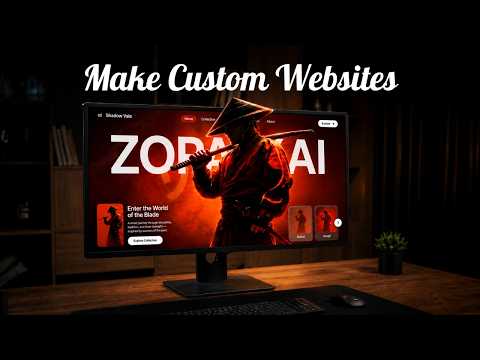
This article explains how to create a premium, fully responsive, and editable WordPress landing page using AI tools like Google AI Studio, ChatGPT, Gemini, Midjourney, and Antigravity. It covers the entire process from selecting a design reference to generating assets, building the page, refining the design, adding interactivity, ensuring responsiveness, and finally converting it into editable WordPress Gutenberg blocks without writing any code.
Creating a professional and visually appealing landing page traditionally requires coding skills and design expertise. However, with the advancement of AI technologies, it is now possible to build premium WordPress websites almost entirely without writing a single line of code. This article walks you through the process of creating a fully responsive and editable WordPress landing page using a combination of AI tools including Google AI Studio, ChatGPT, Gemini, Midjourney, and Antigravity.
The first step in building a website is to find a design that matches the style you want to achieve. Platforms like Behance offer a plethora of design inspirations. Once you find a landing page design that fits your vision, take a screenshot of it.
Instead of manually figuring out the layout, typography, colors, and spacing, you can leverage ChatGPT to analyze the design. By feeding the screenshot into ChatGPT and asking it to break down the entire design, you receive a comprehensive blueprint detailing the layout, sections, typography, spacing, colors, and overall structure. This blueprint serves as the foundation for your website.
For unique character illustrations, Gemini is used to generate several variations. You can select the character that best fits your design style.
Midjourney is employed to create background visuals and motion elements that enhance the landing page's aesthetics.
With the design blueprint and custom assets ready, Google AI Studio is the tool to bring everything together. Upload the reference image and paste the design breakdown from ChatGPT into AI Studio. Request it to recreate the landing page.
The initial version may not be perfect, but it provides a solid starting point. You can refine prompts, adjust layouts, and improve sections iteratively until the design closely matches the original reference.
Import the hero character and background video generated earlier into Google AI Studio. All custom assets should be placed inside the public folder of the project. After uploading and saving, refresh the page to see the background video playing and the hero character displayed correctly.
If AI Studio does not connect assets properly on the first try, ask it to verify the implementation, reconnect asset paths, and update the code.
This process ensures the landing page is not just a replica but a unique project with custom visuals and animations.
Adjust font styles, colors, and hierarchy to better match the original design. Adding translations, such as Japanese text beneath main headings, can enhance the thematic aesthetic, especially for anime-inspired designs.
Resize and reposition character cards, improve spacing, and fine-tune the overall layout to create a balanced and intentional design.
Make the landing page interactive by linking character cards to the hero section. Clicking on a character card updates the hero character instantly. Refine animations and transitions to ensure smooth and natural interactions.
Ask Google AI Studio to optimize the layout for different screen sizes. After several iterations, the design should adapt perfectly to both desktop and mobile devices, ensuring a seamless user experience across platforms.
Instead of converting the project into a traditional WordPress theme, use Antigravity to recreate the landing page as native Gutenberg blocks.
In Google AI Studio, use the export option to either export to Antigravity or download the project as a zip file. Exporting to Antigravity opens the project directly inside the tool.
Within Antigravity, rebuild every section using editable WordPress components such as hero sections, feature sections, testimonials, buttons, images, and content blocks.
Copy the Gutenberg block markup from Antigravity. In WordPress, create a new page, add a Custom HTML block, and paste the copied code. Update the page to see the landing page appear instantly.
To enable full editing capabilities, convert the Custom HTML block into native Gutenberg blocks by selecting the convert option from the block's menu. This allows you to edit text, change colors, adjust font sizes, and customize button styles directly within the WordPress block editor without touching any code.
By combining AI tools like ChatGPT, Gemini, Midjourney, Google AI Studio, and Antigravity, you can transform a single design reference into a fully responsive, interactive, and editable WordPress landing page without any coding. This approach democratizes web design and development, making it accessible to creators of all skill levels.
If you found this guide helpful, consider exploring these AI tools to enhance your web development workflow and create stunning websites effortlessly.



















