
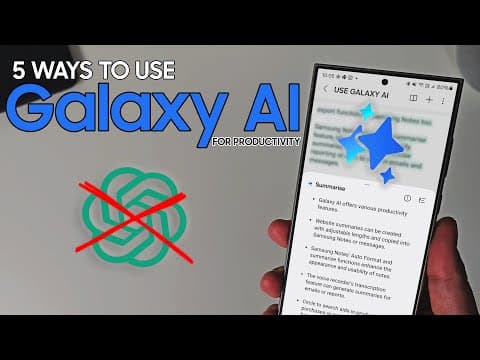
Discover five powerful ways to enhance your productivity using Galaxy AI tools on your Samsung device, including website summarization, note formatting, meeting transcriptions, and more.
In today's fast-paced world, productivity is key to managing our daily tasks efficiently. With the rise of artificial intelligence, tools like Galaxy AI on Samsung devices offer innovative solutions to streamline our workflows. In this blog post, we will explore five effective ways to leverage Galaxy AI for enhanced productivity.
One of the standout features of Galaxy AI is its ability to summarize websites. This tool can significantly reduce the time spent digesting lengthy articles or reports. By providing concise summaries, users can quickly grasp the essential points of a webpage, allowing them to move on to other tasks more efficiently. Additionally, these summaries can be easily shared via Samsung Notes or sent to colleagues, making it a practical tool for collaboration and information sharing.
Samsung Notes comes equipped with an auto-formatting feature that enhances the visual appeal of your notes. After typing up your notes, you can select the text and choose from various formatting options to make your notes more aesthetically pleasing. This feature is particularly useful for organizing meeting notes or creating bullet points. While there are some limitations on the amount of text that can be formatted at once, the ability to create visually appealing notes can improve readability and retention of information.
Similar to the website summarization feature, Galaxy AI allows users to summarize their notes within Samsung Notes. After attending a lecture or meeting and taking extensive notes, you can use the summarization function to condense the information into a more manageable format. This is especially beneficial for creating minutes or personal records, as it allows you to extract the most important details without sifting through pages of notes.
For those who prefer recording meetings instead of taking notes, Samsung's Voice Recorder offers a transcription feature that can be a game-changer. After recording a meeting, the app transcribes the audio, separating dialogue by speaker. This full transcript can then be summarized, providing a quick overview of the meeting's key points. This feature is invaluable for professionals who need to share concise summaries with their teams or stakeholders without the need to distribute lengthy transcripts.
The Circle to Search feature is another powerful productivity tool within Galaxy AI. This function allows users to quickly find information by circling an item on their screen. Whether you're looking for products, restaurants, or hotels, this feature utilizes Google's search capabilities to deliver relevant results swiftly. Additionally, it includes text recognition, making it easy to search for specific text or items without typing. This tool is perfect for on-the-go research and decision-making.
Galaxy AI offers a suite of tools designed to enhance productivity directly from your Samsung device. From summarizing websites and notes to transcribing meetings and facilitating quick searches, these features can help you manage your tasks more effectively. As we look forward to future developments in Galaxy AI, staying informed about new features and updates will be essential for maximizing productivity.
If you're interested in the latest advancements in Galaxy AI, be sure to stay tuned for the upcoming Galaxy Unpacked event, where more exciting features will be unveiled.



















