
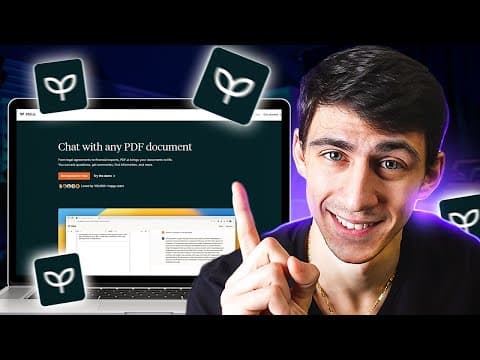
PDF.ai is a groundbreaking tool that transforms how users interact with PDF documents, allowing for efficient summarization, contextual insights, and enhanced productivity for students and professionals alike.
In the ever-evolving landscape of technology, tools that enhance productivity are becoming increasingly vital. One such groundbreaking tool is PDF.ai, which allows users to interact with PDF documents in ways that were previously unimaginable. This innovation is particularly beneficial for students and professionals who frequently engage with lengthy PDFs, providing a solution to the common struggle of extracting meaningful insights from extensive texts.
Many students and professionals often find themselves overwhelmed by the sheer volume of information contained in long PDF documents. Whether it's academic papers, business reports, or philosophical texts, the task of reading and comprehending hundreds of pages can be daunting. Traditional methods of reading these documents can be time-consuming and inefficient, leading to frustration and a lack of understanding.
PDF.ai emerges as a solution to these challenges, offering a user-friendly platform that simplifies the process of working with PDFs. Users can start for free and even try out a demo with an example PDF. The interface is designed to facilitate interaction, allowing users to ask specific questions and receive concise summaries of the content.
Summarization: Users can request summaries of lengthy documents. For instance, a nine-page document can be condensed into a brief overview, complete with references to specific paragraphs for further exploration.
Prompt Library: Users can save frequently used prompts to a library for easy access in future interactions. This feature streamlines the process of querying documents, making it more efficient.
Document Uploading: PDF.ai allows users to upload documents up to 50 megabytes in size. Users can tag documents for easy organization and choose to keep private documents off the server.
Optical Character Recognition (OCR): For image-based PDFs that lack text, PDF.ai offers OCR capabilities, enabling users to extract text from images.
Interactive Queries: Users can ask specific questions about the content, such as key takeaways or contextual information. For example, asking for the key takeaway from a philosophical text yields insightful responses along with references to the relevant pages.
Sharing Capabilities: Users can share their interactions with others, allowing peers to engage with the same document and ask their own questions.
Additional Tools: PDF.ai includes various free PDF tools, such as merging PDFs and a resume AI scanner, all designed to enhance the user experience without the need for multiple applications.
PDF.ai is not just a tool for students; it has a wide range of applications across various fields. Whether you are dealing with scientific papers, financial reports, or literary texts, PDF.ai can significantly reduce the time spent sifting through pages of information. For example, a user studying Seneca's letters can quickly extract key themes and insights without having to read all 122 pages in detail.
PDF.ai represents a significant advancement in how we interact with PDF documents. By leveraging AI technology, it transforms the tedious task of reading long texts into an engaging and efficient experience. With features designed to enhance productivity and understanding, PDF.ai is poised to become an essential tool for anyone who regularly works with PDFs. Whether you are a student, a professional, or simply someone who enjoys reading, PDF.ai can help you unlock the potential of your documents without the burden of extensive reading.
As we continue to explore the capabilities of PDF.ai, users are encouraged to share their experiences and insights, contributing to a growing community focused on maximizing productivity through innovative technology.



















