
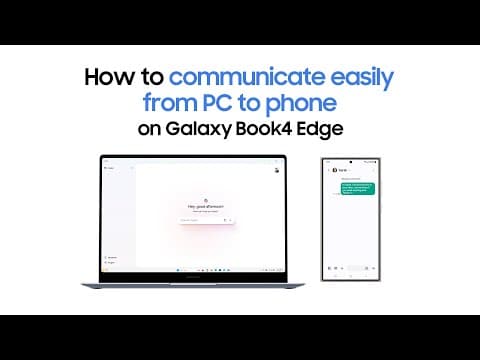
The Galaxy Book4 Edge enhances communication between PCs and phones, allowing users to easily share files, messages, and notifications, streamlining productivity and connectivity.
In today's fast-paced digital world, the ability to communicate effortlessly between devices is crucial for productivity and connectivity. Samsung's Galaxy Book4 Edge is designed to bridge the gap between your PC and phone, making it easier than ever to stay connected. This blog post explores the features and functionalities that make the Galaxy Book4 Edge a standout device for seamless communication.
The Galaxy Book4 Edge is a versatile laptop that integrates smoothly with Samsung's ecosystem of devices. It is engineered to enhance user experience by allowing for easy communication and file sharing between your PC and smartphone. This integration is particularly beneficial for users who rely on multiple devices for work and personal tasks.
One of the standout features of the Galaxy Book4 Edge is its ability to share files effortlessly between your PC and phone. Users can drag and drop files from their phone to their laptop and vice versa, eliminating the need for cumbersome email attachments or third-party applications. This feature is particularly useful for professionals who need to transfer documents quickly.
The Galaxy Book4 Edge allows users to receive notifications from their phone directly on their PC. This means that important messages, calls, and alerts can be viewed and managed without needing to switch devices. Users can respond to messages or decline calls right from their laptop, streamlining their workflow and minimizing distractions.
With the Galaxy Book4 Edge, users can send and receive messages from their PC. This feature supports various messaging apps, allowing for a more integrated communication experience. Whether it's a quick text or a longer email, users can type on a full keyboard, making communication faster and more efficient.
The Galaxy Book4 Edge supports app continuity, meaning that users can start a task on their phone and continue it on their PC without interruption. This feature is particularly beneficial for users who may begin drafting an email or editing a document on their phone and want to finish it on a larger screen.
By facilitating seamless communication between devices, the Galaxy Book4 Edge significantly boosts productivity. Users can manage their tasks more efficiently, reducing the time spent switching between devices and applications.
The integration of PC and phone functionalities enhances connectivity, allowing users to stay in touch with colleagues, friends, and family without missing a beat. This is especially important in a world where remote work and digital communication are becoming the norm.
Samsung has designed the Galaxy Book4 Edge with a user-friendly interface that makes it easy for anyone to navigate its features. Whether you are tech-savvy or a beginner, the device offers an intuitive experience that encourages users to take full advantage of its capabilities.
The Galaxy Book4 Edge represents a significant advancement in how we communicate between our devices. With its easy file sharing, unified notifications, enhanced messaging capabilities, and app continuity, it is a powerful tool for anyone looking to improve their productivity and connectivity. As technology continues to evolve, devices like the Galaxy Book4 Edge will play a crucial role in shaping the future of communication.
In summary, the Galaxy Book4 Edge is not just a laptop; it is a comprehensive communication hub that connects your PC and phone, making it an essential device for modern users.



















