
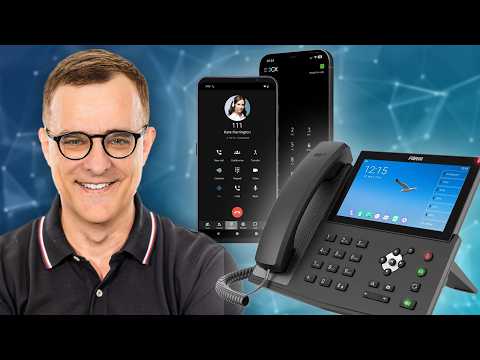
This blog post provides a comprehensive guide on setting up a free private phone system using 3CX PBX, covering VoIP basics, app installation, call management, and system configuration for both small and larger deployments.
Voice over IP (VoIP) is a technology that allows you to make voice calls using the internet instead of traditional phone lines. Key protocols involved in VoIP include the Session Initiation Protocol (SIP) and the Real-time Transport Protocol (RTP). Additionally, various codecs such as G.711, G.729, and G.722 are used to compress and decompress voice data.
Private Branch Exchange (PBX) systems have been around for many years, enabling businesses to manage their phone systems efficiently. The 3CX PBX is a modern solution that allows users to set up their own telephone systems using applications on smartphones, making it accessible and cost-effective.
In this guide, we will explore how to set up a free 3CX PBX system. The 3CX solution is particularly appealing because it allows you to use softphones (applications on smartphones) alongside traditional hard phones. Here’s how to get started:
You can make international calls using the 3CX system. For instance, calling a US number from the UK can be done easily through the app. The cost for a US telephone number can be as low as $1 per month, making it an economical choice for businesses.
3CX allows you to set up ring groups, enabling calls to hunt between different phones. This feature is essential for businesses that require flexibility in call handling. You can also transfer calls between users, enhancing communication efficiency.
The 3CX SMB solution is free for up to 10 users and is hosted in the cloud. For larger deployments, 3CX offers Professional and Enterprise solutions, which can be self-hosted or cloud-hosted. The Professional solution starts at £265 per year for 25 users, with pricing scaling based on the number of users.
Setting up the 3CX system provides an excellent opportunity to learn about VoIP protocols, SIP, RTP, and codecs. This knowledge is beneficial for anyone looking to understand the technical aspects of modern telephony.
To set up your 3CX account:
To make outbound calls, you need to add a trunk:
Once your system is configured, you can test making calls:
The 3CX PBX system offers a powerful and flexible solution for businesses looking to establish a private phone system. With its free SMB solution and scalable paid options, it provides an accessible entry point for organizations of all sizes. The ability to self-host or use cloud solutions adds to its appeal, allowing businesses to maintain control over their communication systems.
If you are interested in learning more about setting up a professional version or hosting locally, let me know in the comments. The 3CX system is a fantastic way to modernize your business communications while keeping costs low.



















