
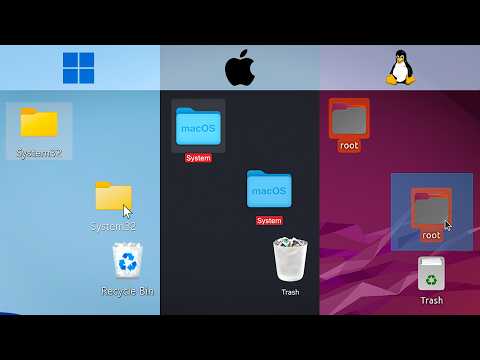
This article explores the effects of deleting the system folder on Mac OS, Windows, and Linux, detailing the steps taken and the resulting system failures, highlighting the varying levels of protection and consequences across these operating systems.
In the realm of computing, the system folder is a critical component that houses essential files for the operating system's functionality. This article delves into what happens when you delete the system folder across three major operating systems: Mac OS, Windows, and Linux. We will explore the steps taken to delete these folders, the resulting system failures, and the varying levels of protection each operating system offers.
On Mac OS, the system folder is located in the Macintosh system drive. To delete it, one must first disable several protective measures. Once these measures are disabled, the terminal is opened, and the command sudo rm -rf is executed to remove the system folder.
As the deletion process begins, numerous files start to disappear. However, some files cannot be deleted due to requiring advanced access, resulting in read-only file system errors. Despite this, the majority of the files in the system folder are deleted, leading to a complete system freeze.
Upon rebooting, the Mac OS is rendered inoperable, prompting the user to reinstall the operating system. This demonstrates the critical nature of the system folder in maintaining the functionality of Mac OS.
Moving on to Windows, the equivalent of the system folder is known as System 32. To delete this folder, the user must first take ownership of all the files within it. After ownership is established, a command is executed to delete the contents of System 32.
Initially, there appears to be no significant damage. However, upon checking the properties of the System 32 folder, it is evident that its size has drastically reduced from several gigabytes to just a few megabytes, indicating that many files have been deleted.
Despite the apparent lack of immediate damage, the system begins to exhibit severe issues. The start menu becomes unresponsive, and attempts to open settings or other programs fail. The file explorer's sidebar disappears, and while some applications like Winamp can still be installed and run, most executables fail to open.
Eventually, the taskbar disappears entirely, and the system becomes unresponsive, culminating in an error message indicating that Windows is not responding. This highlights the fragility of the Windows operating system when its core files are compromised.
For Linux, specifically Ubuntu, the root folder serves as the system folder. Deleting this folder is notably easier due to fewer built-in protections. The command to delete the root folder is executed, but initially fails due to system protections. A modified command is then used, which successfully deletes enough files to break the system.
Interestingly, if one opts not to delete the entire root directory but instead targets crucial files within it, the effects can vary. For instance, deleting the sluser folder results in the background disappearing, icons vanishing, and the cursor transforming into a white cube. The system becomes unresponsive, and the user loses the ability to power off or restart the machine.
The act of deleting the system folder across different operating systems reveals the critical role these folders play in maintaining system integrity. Each operating system has its own level of protection and consequences for such actions. While it may be tempting to experiment with system files, the potential for irreversible damage serves as a cautionary tale for users.
In a humorous note, the narrator warns viewers about the consequences of not subscribing to their channel, playfully threatening to execute a similar command on their devices. This light-hearted conclusion underscores the importance of understanding the systems we use daily and the potential risks involved in tampering with them.



















