
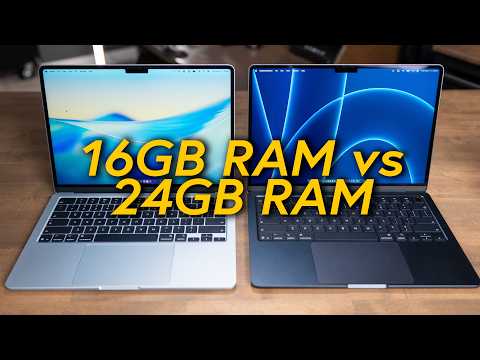
Apple has raised the MacBook Air's baseline RAM to 16GB, but with macOS Tahoe's increasing demands, 24GB RAM offers noticeable performance improvements, especially for multitasking, creative work, and running local AI models. The 24GB model also includes a better GPU, making it a worthwhile investment for long-term use and resale value.
For years, the MacBook Air started with 8GB of RAM, and users eagerly awaited Apple to raise the baseline to 16GB. Now that Apple has made 16GB the new baseline, it feels like just enough, especially with macOS Tahoe being heavier than ever. This article explores the real-world differences between the 16GB and 24GB RAM configurations in the M5 MacBook Air and helps you decide which model suits your needs.
macOS Tahoe runs more processes in the background than previous versions. Applications like iMessage constantly run and index data, and modern browsers consume significant memory. When you open Activity Monitor with apps like Slack, multiple browser tabs, and video calls running, memory pressure often sits in the yellow zone. While the system doesn't lag, it works hard to keep everything running smoothly.
I have been using both the 16GB and 24GB M5 MacBook Airs for the past couple of months, thanks to a loan from B&H for the 24GB model. Both computers are excellent, but the 24GB model runs everything a bit faster and smoother. Some tests showed the 24GB model performing significantly better than the 16GB one.
The 16GB and 24GB MacBook Airs do not use the exact same M5 chip. The 16GB model has a chip with two fewer GPU cores than the 24GB model. You can upgrade the 16GB model to the 10-core GPU for an additional $100 from the factory. However, the 24GB model costs only $200 more and includes both the better GPU and the extra RAM, making it a better value.
To make fair comparisons, I also tested the 15-inch MacBook Air with 16GB RAM and the 10-core GPU. This allowed me to compare:
In 2026, AI is not just a chatbot in a browser window. You can run local AI models on your MacBook Air for privacy and speed. A standard 7B parameter AI model requires about 5 to 8GB of VRAM, which on the MacBook Air comes from system memory.
With 16GB RAM, running such a model leaves only about 8GB for the rest of the OS, which can cause performance bottlenecks. The 24GB RAM model provides 16GB for normal operations and 8GB for AI models, allowing smooth multitasking and fast AI responses.
The 24GB RAM stops the "tab reloading dance" and makes the computer feel instant, even when multitasking heavily.
When RAM fills up, macOS uses swap memory by moving unused data to the SSD. This can cause slight lag or page refreshes when accessing swapped-out tabs. However, swap does not damage the SSD, as modern SSDs are highly durable.
The main issue with swap is latency since RAM is much faster than SSD. The 24GB RAM model reduces the need for swap, eliminating micro stutters and keeping the Mac feeling responsive.
Looking 4 to 5 years ahead, the 16GB model will be the base spec, while 24GB will be the upgraded model. RAM upgrades tend to hold their value better than storage upgrades because you cannot add external RAM, whereas external SSDs are an option.
Spending an extra $200 on 24GB RAM is a good investment for future resale value and longevity.
The 24GB RAM M5 MacBook Air offers noticeable performance improvements over the 16GB model, especially for demanding workflows and future-proofing. The inclusion of a better GPU in the 24GB model further enhances its value.
Would you choose the 24GB model for better performance and longevity, or save money with the 16GB model? Share your thoughts!
Thanks again to B&H for loaning the 24GB MacBook Air for testing. For personalized Mac buying advice, visit adamtalkstech/mac.



















