
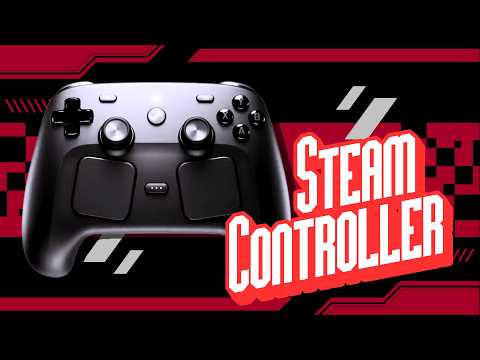
This article covers the unboxing and initial review of the Steam Controller, highlighting its simple packaging, comfortable design, unique features like dual touchpads and a random screaming Easter egg, and a comparison to the Steam Deck's trackpads. It also mentions giveaways and a tutorial offer for using an iPad as an external monitor for gaming.
After receiving a notification about a package delivered to my home, I was excited to discover it was the long-awaited Steam Controller I had ordered from Steam about five days ago. Although I couldn't show the box's other side for privacy reasons, I was eager to dive into the unboxing and share my first impressions.
The Steam Controller comes in a straightforward cardboard box with black ink printing. The front displays an image of the controller with the phrase "At your fingertips," accompanied by French text underneath. The top of the box contains some basic information about the controller and gaming, while the back includes warnings and details about the contents, which are the controller itself and a small puck cable.
Opening the box revealed a surprisingly dusty interior, which was unexpected for a new product. Inside, the extras included a Type-C to Type-A charging cable and simple instructions. The instructions advised pressing the power button on the controller and connecting the puck plug for charging.
Holding the Steam Controller, I found it quite comfortable. It molds well to the hand, reminiscent of the comfort found in classic controllers like the Nintendo 64. However, the Y button felt slightly stretched, requiring a bit of a reach, which might be more noticeable for those with smaller hands like mine.
The controller features:
The controller also makes a clicking noise when using the D-pad, which was a pleasant surprise.
The small puck accessory, which connects magnetically to the back of the controller for charging, has three charging prongs and a rubber pad on the bottom. The included Type-C cable is of decent length and connects to a Type-A port.
One of the most interesting discoveries was that the controller randomly emits a scream. This Easter egg doesn't happen every time but adds a fun and unexpected element to the device.
I haven't programmed the buttons on the back yet, but the trackpads work flawlessly. I actually prefer the trackpads on this controller over those on the Steam Deck, where I rarely use them. It's unclear whether this is due to better hardware, software, or firmware on the controller.
Aside from the unboxing, I mentioned ongoing giveaways, including an RG35XXSP device. I also offered to create a tutorial on using an iPad as an external monitor connected to the Steam Deck for gaming, which is a quick and handy setup.
Overall, the Steam Controller impresses with its comfort, unique features, and solid performance. The random scream Easter egg adds a playful touch, and the controller's design feels familiar yet innovative. If you're interested in seeing more content or tutorials related to this controller or gaming setups, feel free to leave a comment.
Have a great week and happy gaming!



















