
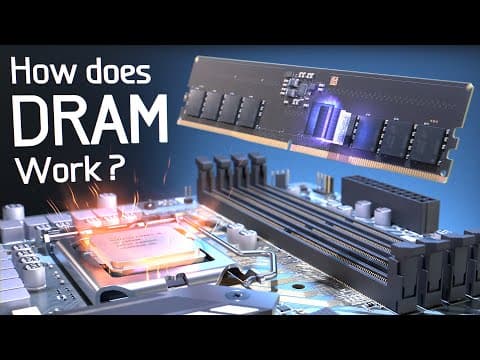
This blog post explores how computer memory works, focusing on the interaction between solid-state drives (SSDs) and dynamic random-access memory (DRAM). It explains the differences in speed, capacity, and functionality between these two types of memory, detailing how data is transferred and accessed within a computer system. Additionally, it delves into the architecture of DRAM, including its structure, operations, and recent advancements that enhance performance.
Have you ever wondered what happens inside your computer when you load a program or video game? Millions of operations occur, but one of the most common is the transfer of data from a solid-state drive (SSD) into dynamic random-access memory (DRAM). This process is crucial for the performance of your computer, as it allows the CPU to access data quickly.
An SSD is used for long-term data storage, holding all the programs and files you need. However, when your computer needs to use that data, it first moves the relevant files into DRAM. This transfer takes time, which is why you see loading bars. DRAM is often referred to as working memory or main memory because the CPU can only work with data that has been moved there.
The reason computers utilize both SSDs and DRAM is due to their differing characteristics:
Accessing data from an SSD takes about 50 microseconds, while accessing data from DRAM takes only 17 nanoseconds—making DRAM approximately 3000 times faster. To put this into perspective, this speed difference is akin to comparing a supersonic jet to a tortoise.
However, DRAM has limitations. It can only store one bit of data per memory cell and requires power to maintain the data in its capacitors. This is why computers use both types of memory: SSDs for large storage and DRAM for fast access.
When you start a video game, there is often a loading time to initialize the game and another to load your saved files. During this time, all the 3D models, textures, and environmental data are transferred from the SSD to DRAM, allowing for quick access. Without DRAM, the game would run 3000 times slower, making it nearly unplayable.
In this article, we will take a closer look at a 16-gigabyte stick of DRAM, also known as a Dual Inline Memory Module (DIMM). Each DIMM contains multiple DRAM chips, and when plugged into the motherboard, it connects directly to the CPU via memory channels.
The CPU communicates with DRAM through memory channels. For DDR5, each channel is divided into two parts, allowing for independent data transfer. Each memory channel can transfer 32 bits at a time, using additional wires for addressing and control signals.
Inside a DRAM microchip, we find an interconnection matrix connecting the ball grid array to the main die. This die is organized into bank groups, each containing numerous memory cells arranged in a grid. Accessing these cells requires a 31-bit address, which is divided into parts to select the appropriate bank, row, and column.
A single memory cell, known as a 1T1C cell, consists of a capacitor and a transistor. The capacitor stores one bit of data as electrical charges, while the transistor allows access to the capacitor. The design of these cells is continually evolving to maximize storage capacity while minimizing space.
To read data from DRAM, the CPU sends a command and address to the DRAM. The selected row is activated, and the sense amplifier detects changes in voltage, indicating whether a 1 or 0 is stored in the capacitor. This process allows the CPU to retrieve data efficiently.
Writing data is similar to reading but involves sending a write command along with the data to be stored. The write driver overrides the previous values in the memory cells, allowing new data to be written.
Due to the small size of the transistors, charges can leak over time, necessitating a refresh operation. This involves closing all rows, precharging the bitlines, and then reactivating each row to restore the stored values. This refresh occurs approximately every 64 milliseconds to prevent data loss.
Recent advancements in DRAM technology have led to significant improvements in speed and efficiency. These include:
Understanding how computer memory works, particularly the interaction between SSDs and DRAM, is essential for appreciating the speed and efficiency of modern computing. The combination of these technologies allows computers to handle vast amounts of data quickly, enabling everything from gaming to complex computations.
As technology continues to evolve, the importance of memory architecture and design will only grow, making it a critical area of study for future advancements in computing.



















