
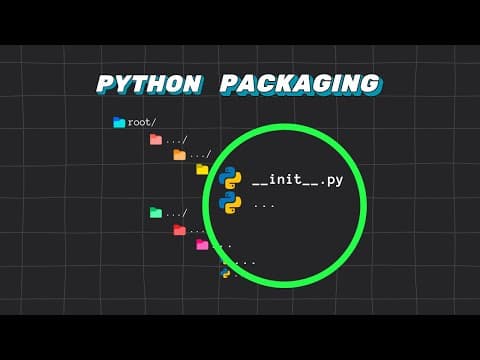
This article explains the differences between namespace packages and regular packages in Python, detailing how Python determines the type of package during the import process and providing examples to illustrate these concepts.
In the world of Python programming, understanding how packaging works is crucial for organizing code effectively. This article delves into the concepts of namespace packages and regular packages, explaining their differences and how Python interprets them during the import process.
In Python, a package is a way of organizing related modules into a single directory hierarchy. This structure allows for better management of code and helps avoid naming conflicts. There are two main types of packages in Python: namespace packages and regular packages.
A namespace package is a type of package that allows for the distribution of sub-packages and modules across multiple directories. These directories do not contain an __init__.py file, which is a key distinction from regular packages. When Python encounters a directory without this file, it treats it as a namespace package, allowing for a more flexible organization of code.
In contrast, a regular package is defined by the presence of an __init__.py file within its directory. This file indicates to Python that the directory should be treated as a single package. When importing a regular package, Python will only consider the first directory it finds with the corresponding name, ignoring any subsequent directories.
When you attempt to import a module or package in Python, the interpreter follows a specific sequence of steps:
Checking for Regular Packages: Python first checks each folder in the parent path for a directory that matches the name of the module or package being imported. If it finds a directory with an __init__.py file, it recognizes it as a regular package and imports it, stopping further checks.
Checking for Modules: If no regular package is found, Python looks for a file named sample.py (or the corresponding module name). If it finds this file, it imports it as a module and stops searching.
Identifying Namespace Packages: If neither a regular package nor a module is found, but Python encounters a directory named Sample without an __init__.py file, it notes this directory and continues checking other folders.
Combining Namespace Packages: Finally, if Python completes its search without finding a regular package or module but identifies one or more directories named Sample without an __init__.py file, it combines these directories into a single namespace package.
To illustrate these concepts, consider the following scenario:
product, neither containing an __init__.py file. When you import product, Python treats both directories as part of the same namespace package, combining their paths into one.__init__.py file to one of the product directories, the situation changes. Python will now recognize product as a regular package and will only use the first product directory it encounters, completely ignoring the second one.Understanding the differences between namespace packages and regular packages is essential for effective Python programming. By knowing how Python determines the type of package during the import process, developers can better organize their code and avoid potential conflicts. With this knowledge, you can leverage Python's packaging system to create more modular and maintainable applications.
Thank you for reading! If you found this information helpful, consider subscribing to 2 Minutes Pi for more insights into Python programming.



















