This article explains JavaScript for loops, demonstrating how to repeat code a limited number of times. It covers loop structure, counter initialization, conditions, increments/decrements, counting up/down, skipping iterations with continue, and exiting loops early with break, providing practical examples for each concept.
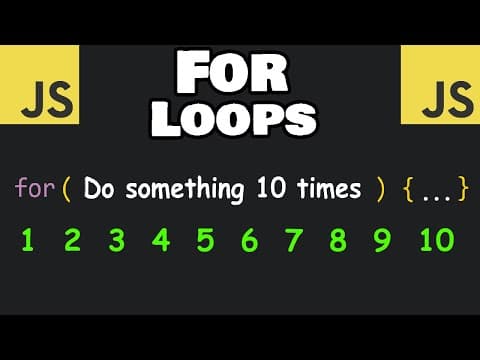
JavaScript for loops are a fundamental programming construct that allow you to repeat a block of code a specific number of times. Unlike while loops, which can potentially run infinitely, for loops are designed to execute a limited number of iterations based on a condition.
A for loop repeats some code a limited amount of times. It is especially useful when you know in advance how many times you want to execute a block of code.
The syntax of a for loop in JavaScript looks like this:
for (initialization; condition; increment) {
  // code to execute
}
Let's say you want to display the word "hello" three times. Here's how you can do it with a for loop:
for (let i = 0; i <= 2; i++) {
  console.log('hello');
}
i at 0.i is less than or equal to 2.i is incremented by 1.This loop runs three times, printing "hello" each time.
The variable i is commonly used as a counter or index in loops. It keeps track of how many times the loop has run.
If you want to see the value of i during each iteration, you can log it:
for (let i = 0; i <= 2; i++) {
  console.log(i);
}
This will output:
0
1
2
To count from 0 to 9, you can set the condition to i < 10:
for (let i = 0; i < 10; i++) {
  console.log(i);
}
If you want to count from 1 to 10, start i at 1 and use i <= 10:
for (let i = 1; i <= 10; i++) {
  console.log(i);
}
You don't have to increment by 1. You can increment by any number using the += operator.
For example, to count by twos from 1 to 9:
for (let i = 1; i < 10; i += 2) {
  console.log(i);
}
Output:
1
3
5
7
9
To count by twos starting at 2 up to 10:
for (let i = 2; i <= 10; i += 2) {
  console.log(i);
}
Output:
2
4
6
8
10
You can also count down by decrementing the counter.
Example: Count down from 10 to 1:
for (let i = 10; i > 0; i--) {
  console.log(i);
}
console.log('Happy New Year');
Output:
10
9
8
7
6
5
4
3
2
1
Happy New Year
You can decrement by more than one as well:
for (let i = 10; i > 0; i -= 2) {
  console.log(i);
}
Output:
10
8
6
4
2
The continue keyword allows you to skip the current iteration and move to the next one.
Example: Skip the number 13 when counting from 1 to 20:
for (let i = 1; i <= 20; i++) {
  if (i === 13) {
    continue; // skip iteration when i is 13
  }
  console.log(i);
}
This will print numbers 1 through 20, except 13.
The break keyword exits the loop entirely.
Example: Stop counting when you reach 13:
for (let i = 1; i <= 20; i++) {
  if (i === 13) {
    break; // exit loop when i is 13
  }
  console.log(i);
}
This will print numbers 1 through 12 and then stop.
continue to skip an iteration.break to exit the loop early.Mastering for loops is essential for efficient programming in JavaScript and will help you handle repetitive tasks with ease.